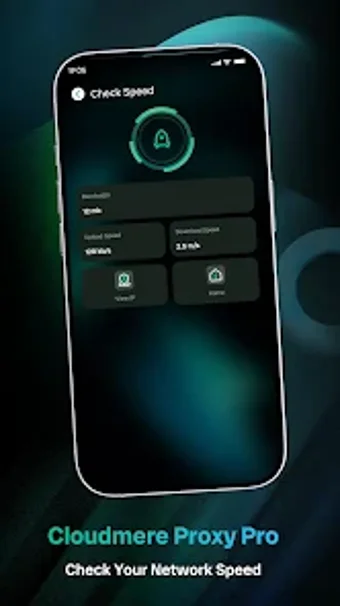
One-tap VPN with automated node selection for Android users
Connect to an optimized VPN node with one tap: Cloudmere Proxy Pro establishes encrypted tunnels and selects routes automatically for low-latency mobile browsing and streaming. Nathaniei.Corp builds this Android utility to simplify VPN management, offering one-tap connection, real-time status monitoring, and server selection on a global node network. The app suits Android users who need quick privacy on public Wi-Fi or want to bypass regional restrictions without manual configuration.
What the app does and how it manages connections
Cloudmere Proxy Pro creates an encrypted VPN tunnel and pairs intelligent node scheduling with a global node network to pick a low-latency route. One-tap connection starts the session after you grant the standard Android VPN permission. Server selection remains available on the main screen, so you can force a specific node instead of relying solely on the automated scheduler.
How it interacts with device resources during use
The app is reported as having a lightweight footprint and designed to manage network resources efficiently, which suggests limited background overhead during active sessions. Real-time connection status appears in the interface so you can monitor link health. The design intends minimal manual tuning, which reduces the need for persistent system-level adjustments while connected.
Safety, permissions, and data handling practices
Encrypted data transmission secures traffic on public or unsecured Wi-Fi, and the app requests standard VPN permission before connecting. Data safety disclosures indicate the app may share app activity, performance information, and device IDs with third parties; data is encrypted during transit. Those facts frame the privacy trade-offs between encrypted transport and telemetry sharing.
Ease of use versus depth of control for different users
The app eliminates complex manual configuration by default and gives novices a single action to connect, while still providing server selection for users who want control. Automated node selection handles stability using route optimization, and real-time status reporting supports troubleshooting. Advanced users retain some manual choice, but the workflow emphasizes quick setup over granular protocol tuning.
Clear fit for users who want fast setup, with a telemetry trade-off
Cloudmere Proxy Pro suits Android users needing a quick, one-tap VPN and automated node routing for lower latency. The app balances ease of use and selectable servers, but the developer’s disclosures about sharing app activity and device identifiers represent a notable privacy trade-off. For those prioritizing immediate protection and simple server choice, the app performs well; privacy-sensitive users should weigh the telemetry sharing before prolonged use.